23-02
Back at it (kinda)
Hello again. Another week, another procrastination. Well… not really. But somehow I still feel like I haven't done much.
I've been checking out Godot, ArmorPaint, Material Maker, and Blender.
Mostly just playing around, trying to get a feel for the software and understand how the asset pipeline would work. Maybe I should watch videos explaining everything, but I’d like to figure it out myself first.
So far: I can model something basic and UV unwrap it. UV mapping is still a bit of a hassle though, so I might get some external info on that soon. I don’t seem to have much space, but I still need to unwrap faces in a way that textures tile correctly and are scaled correctly as well.
Exporting models as .glb and importing them into Godot worked fine so far.
Blender to Godot
Of course, issues arise when lightmapping.
For lightmapping you need UV2 maps. And honestly this part seems relatively easy (unless I’m missing something): select all faces -> UV unwrap -> Lightmap Pack. Done.
But then Godot started doing a thing where it doesn’t seem to like lightmaps on duplicated / instanced elements.
Example: I modeled a simple room, then instanced it three times to make a hallway. Added a few cubes, instanced those too, threw in some lights. Took me a while to figure out why the lightmap generation looked so bad.
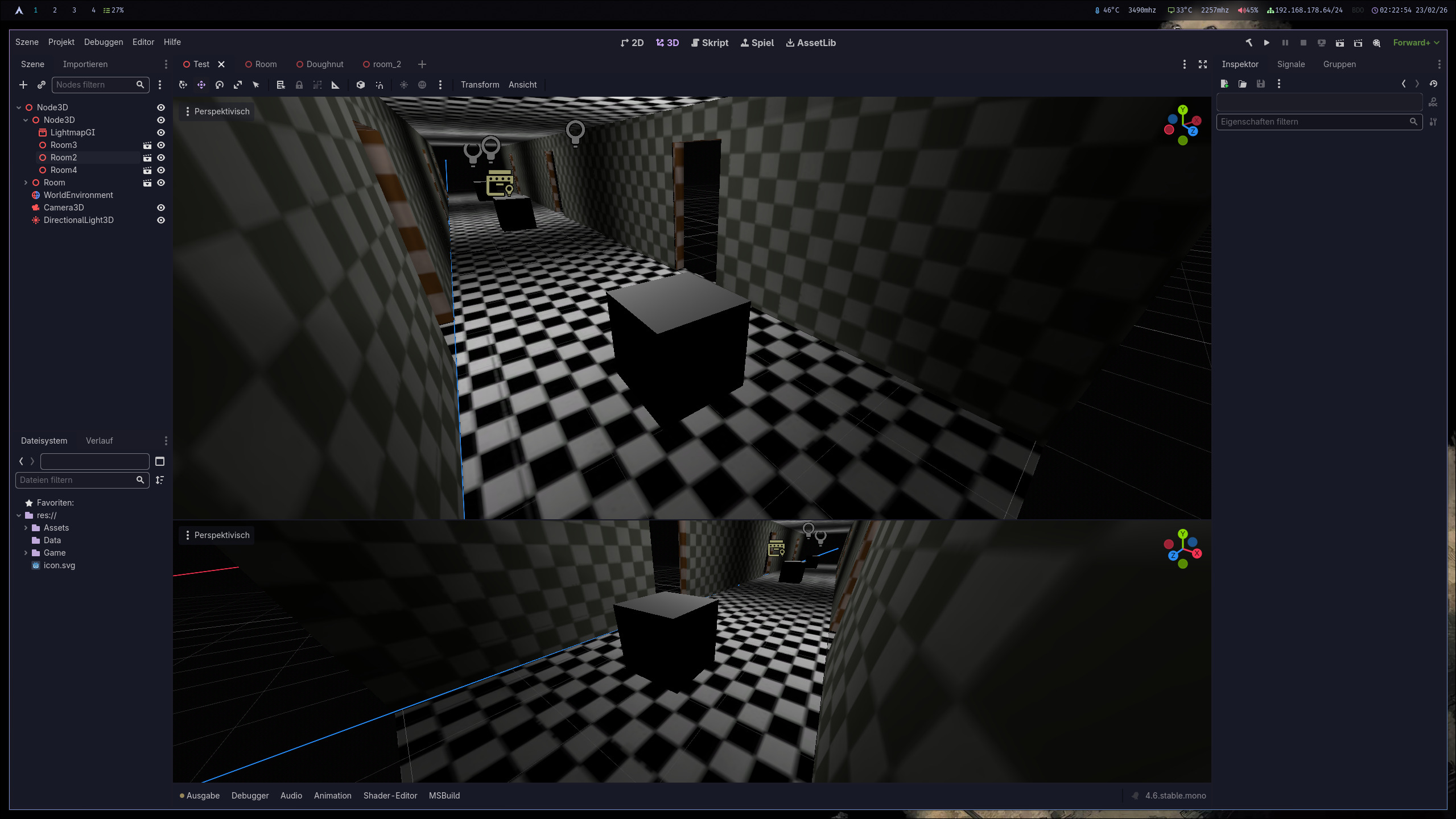
After some time I found out I had to increase the texel size of the room by a lot. In this case: 0.01. Otherwise I would even get seams between the instanced rooms.
My current explanation: every mesh gets its own lightmap (or something along those lines), while in Unity the same mesh gets combined into one before lightmapping. At least that’s how this feels.
Also: I still had preview sunlight and preview environment set to on, which simulates them for in-editor use. Turning that off helped with not getting fooled by the editor lighting.
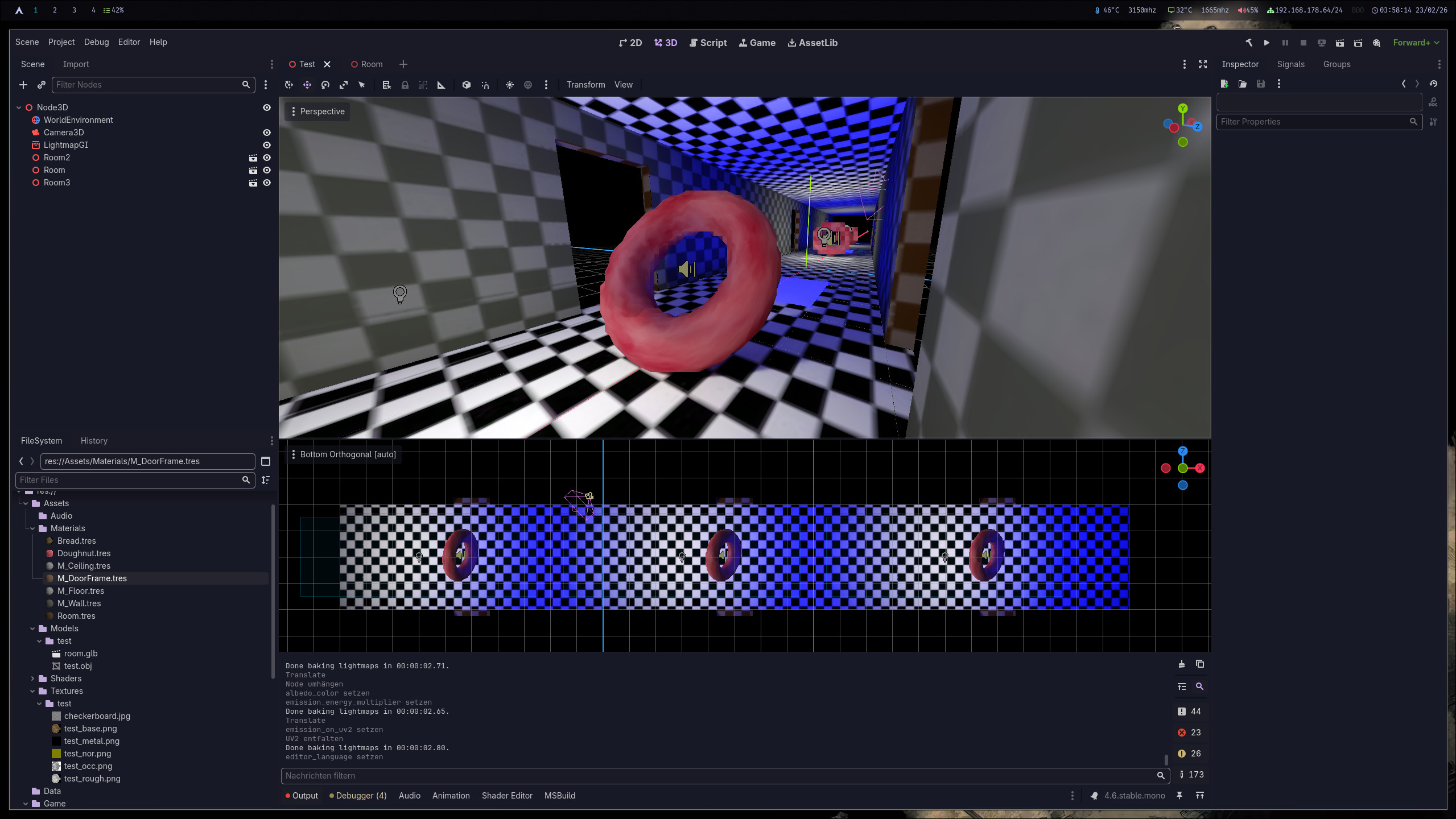
Now though? I’m quite happy with the result so far: hallway with doughnuts, emissive textures, somewhat-correct UV maps, and correct lightmapping.
Cyberpunk 2077 again
I've found the issue for the Cyberpunk performance bug.
It was Dark Future, a mod that turns the game into more of a survival / immersion experience by adding basic needs meters like hydration, nutrition, energy, and “nerve” that drain over time and give you penalties until you eat, drink, sleep, or relax.
It also adds configurable systems for anxiety and addiction (including withdrawal), and other survival mechanics you can tweak.
This mod was one of the main reasons I wanted to rerun Cyberpunk to begin with. But for some reason, its save-state causes an enormous performance degradation on my system after some hours of gameplay. And deleting the Wine prefix (which resets Dark Future's progress) fixes the issue again… for the next X amount of hours.
Sad :(
Linux performance: kernels and preemption
I fixed a lot of performance issues I had so far on Linux.
The thing is: I was CPU-limited everywhere all the time. At least it looked like it, because GPU usage was down in many games. But CPU usage was also low. Debugging showed the CPU was sleeping/waking threads a lot.
I read that the RT kernel forces intermissions which would reduce the amount of sleeps/wakes. So I switched to the RT kernel and in Black Desert Online and Wuthering Waves my FPS basically doubled, since there's not a lot of throughput.
However trying out Cyberpunk like this was miserable. I was barely getting 40 FPS at best.
The reason is of course: throughput. RT kernel forces intermissions and for games that are actually expensive to run, that's a no-no.
But then I found out my non-RT kernel supports dynamic preemption. Find out yourself with:
zcat /proc/config.gz | grep CONFIG_PREEMPT_DYNAMIC
CONFIG_PREEMPT_DYNAMIC=y
This is nice, because you can change your scheduling while the system is running.
At first I thought I'd make a script so when I start Black Desert, the system gets set to RT-ish mode. You can change the setting with:
echo full | sudo tee /sys/kernel/debug/sched/preempt
Check via:
sudo cat /sys/kernel/debug/sched/preempt
none voluntary (full) lazy
But bear with me here: as far as I understand lazy is even better, because it's basically full, but it doesn't force intermissions quite as hard.
In short: this gave me another ~20% FPS boost in Black Desert, and Cyberpunk runs just fine with it as well.
So based on my own experience, I would actually recommend atleast testing:
echo lazy | sudo tee /sys/kernel/debug/sched/preemptsudo cat /sys/kernel/debug/sched/preempt
none voluntary full (lazy)
Yesterday I dual-booted back into Windows for the first time in the last half year to compare performance and I was actually surprised:
In CPU-bound scenarios I was around 20–30% better off on Linux than on Windows 11.
In GPU-bound scenarios I was around 5–10% worse on Linux compared to Windows 11, which is kinda to be expected I guess.